

Interactive WebGPU jelly dragon fruit with soft-body physics
A side-by-side test: Claude Opus 5.5 and GPT-6 Astra each built a draggable jelly dragon fruit. Opus feels firmer and glossier, Astra softer.
Tạo mô hình 3D chi tiết
Chỉ dùng code thì chỉ được các hình khối đơn giản. Wandy 2 biến một tấm ảnh thành mô hình 3D có texture để bạn dùng ngay trong cùng cảnh đó.
Prompt cho Claude Opus 5.5
Create an interactive 3D scene called “Pitaya Jelly” — a dragon fruit half made of soft, translucent jelly. Build the entire project in a single HTML file using genuine WebGPU rendering and WGSL shaders. Do not use premade models or image assets.

APPEARANCE

A large dragon fruit half resting cut-side up on a light studio surface.
Rich raspberry-pink skin, a thin pale inner rind, and pearly white flesh.
Approximately 250 tiny black seeds distributed naturally across the flesh.
12–14 fleshy peel petals around the fruit, transitioning from pink bases to green tips.
A glossy, wet surface with light refraction, small internal bubbles, and a soft contact shadow.
The material should look like soft gummy candy, not rigid plastic. Preserve saturated colors without blown-out highlights.

PHYSICS AND INTERACTION

Implement genuine soft-body deformation using a volumetric mesh with elastic connections and volume-preserving constraints, such as XPBD.
Users can grab the flesh with a mouse or finger, stretch it, and release it.
Deformation should concentrate around the grabbed point rather than simply translating the entire object.
After release, the fruit should wobble, jiggle, and gradually recover its original shape.
Make the peel petals individually draggable. They should be softer than the flesh, bending and springing back while remaining attached to the fruit.
Seeds must follow the deforming surface without floating away or sinking into the flesh.
Keep the simulation stable during strong pulls, with floor contact and protection against inverted elements.

VISUAL DESIGN

Use a minimal, light-themed studio interface with an editorial aesthetic: generous whitespace, thin borders, restrained controls, and no unnecessary decoration.

Top left:
“MATERIAL STUDIES / NO. 019”
A large italic serif heading on two lines:
“Pitaya Jelly.”

Below it:
“A little wild.”
“A little sweet.”
“A very soft dragon.”
On the right, add a floating panel titled “THE SPECIMEN” containing:

Density badge: ρ 1.04 g/cm³.
Three presets:
Pearl — white flesh and pink skin.
Ruby — raspberry-colored flesh and pink skin.
Gold — pale flesh and golden skin.
Firmness and Internal damping sliders with visible values.
“Give it a nudge” and “Reset” buttons.

“¼ speed” and “Show mesh” checkboxes.

A “Pause” button.
Also include:
A fullscreen button with an exit option.
A “WEBGPU · LIVE” status indicator.
Live readouts for mass, percentage of rest volume, and kinetic energy.
A short interaction hint: “Pull the flesh. Tug a petal. Let go.”
A collapsible “Inside the experiment” section explaining the implementation accurately.
TECHNICAL REQUIREMENTS
Deliver one self-contained file named pitaya-jelly-webgpu.html.

Use actual WebGPU rendering, not a Canvas 2D imitation.

Build all geometry procedurally.
Use thickness-aware refraction, Fresnel reflections, and soft studio lighting.
Use a fixed simulation timestep for consistent behavior.
Support desktop and touch interaction with a responsive layout.
Avoid expensive geometry reconstruction or shader compilation during dragging.

Show a clear fallback message when WebGPU is unavailable.

Verify dragging, release, shape recovery, presets, reset, pause, fullscreen, and mobile layout.
The main priorities are convincing jelly-like behavior, beautiful materials, and satisfying interaction. The result should feel like a polished, playable material experiment.
Cách dùng prompt này
Paste the prompt into Claude Opus 5.5, or another model to compare, and ask for one HTML file.
Swap the fruit for another object, change presets and the interface text, or tune firmness defaults.
Open it in a WebGPU browser, drag the flesh and petals, then refine wobble, gloss and stability.
Từ Wandy3D
 Từ Wandy3D
Cần một mô hình 3D thật trong cảnh của bạn?
Agent của bạn dựng cảnh bằng các khối cơ bản. API Wandy3D biến ảnh hoặc prompt thành tệp GLB có texture chỉ trong vài phút — trả từ số dư nạp trước, không cần đăng ký gói.
- Wandy 20,18 US$ mỗi mô hình
- Wandy 10,09 US$ mỗi mô hình
Số dư không bao giờ hết hạn · tác vụ lỗi được hoàn tiền · mô hình tạo qua API thuộc về bạn và tải xuống được ở mọi định dạng.
curl -s -X POST https://api.wandy3d.com/generate/cloud/ultra \ -H "Authorization: Bearer $WANDY3D_API_KEY" -F "file=@photo.jpg"# → {"task_id": "…"} — poll until "status" is "done":curl -s https://api.wandy3d.com/task/$TASK_ID/status \ -H "Authorization: Bearer $WANDY3D_API_KEY"# → {"model_id": "…"} — then GET /model/$MODEL_ID/export?format=glbBài đăng gốcBạn là tác giả? Yêu cầu chúng tôi sửa hoặc gỡ trang này
Prompt tương tự
Xem tất cả prompt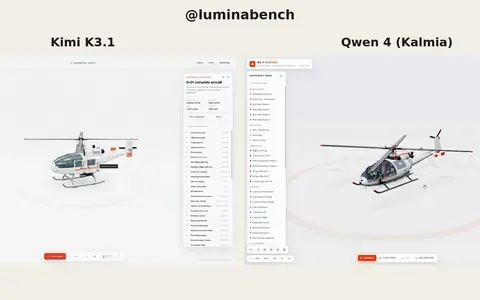 Kimi K3.1
Interactive 3D helicopter with takeoff, assembly and exploded views
Lumina
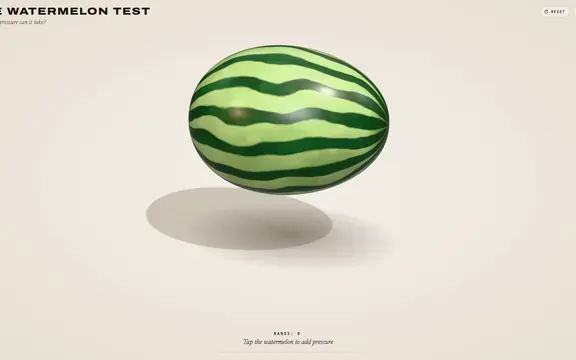 Claude Opus 5.5
Rubber band watermelon test: a squeezable, bursting 3D browser toy
林悦己Cheer
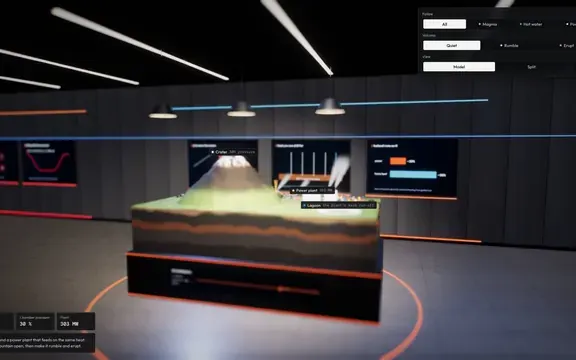 Claude Opus 5.5
Interactive 3D volcano cutaway simulation with magma chamber
Konstantin Saifoulline
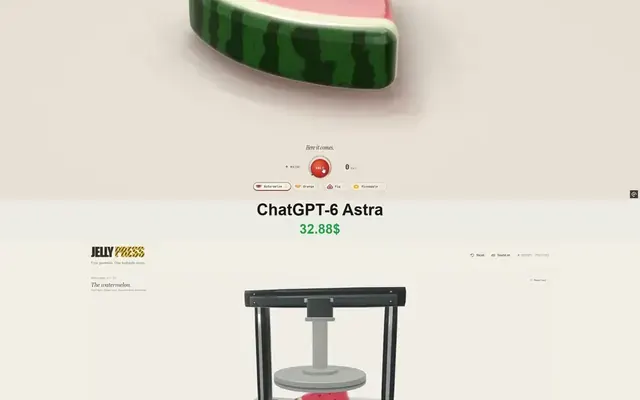 Claude Opus 5.5
WebGPU jelly press toy: gummy fruit squashed and burst by a hydraulic press
Vib3Coded
 Claude Opus 5.5
Single-file WebGPU jelly press toy with soft-body fruit gummies
Vib3Coded
 Claude Opus 5.5
Scroll-driven exploding mechanical watch in raw WebGPU, single HTML file
Paruchh