

全天球パノラマからMCP経由でBlenderに作る都市の交差点
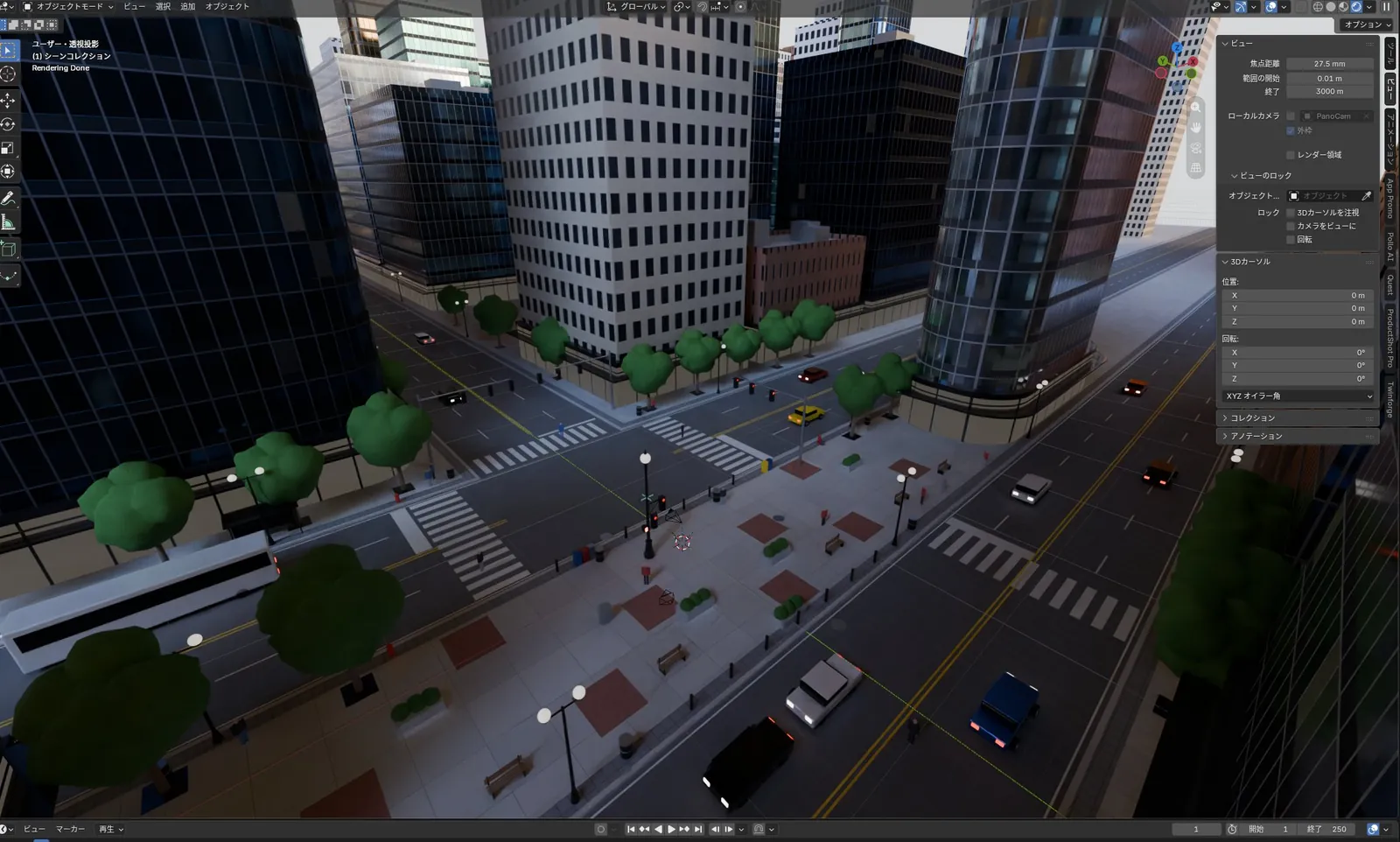
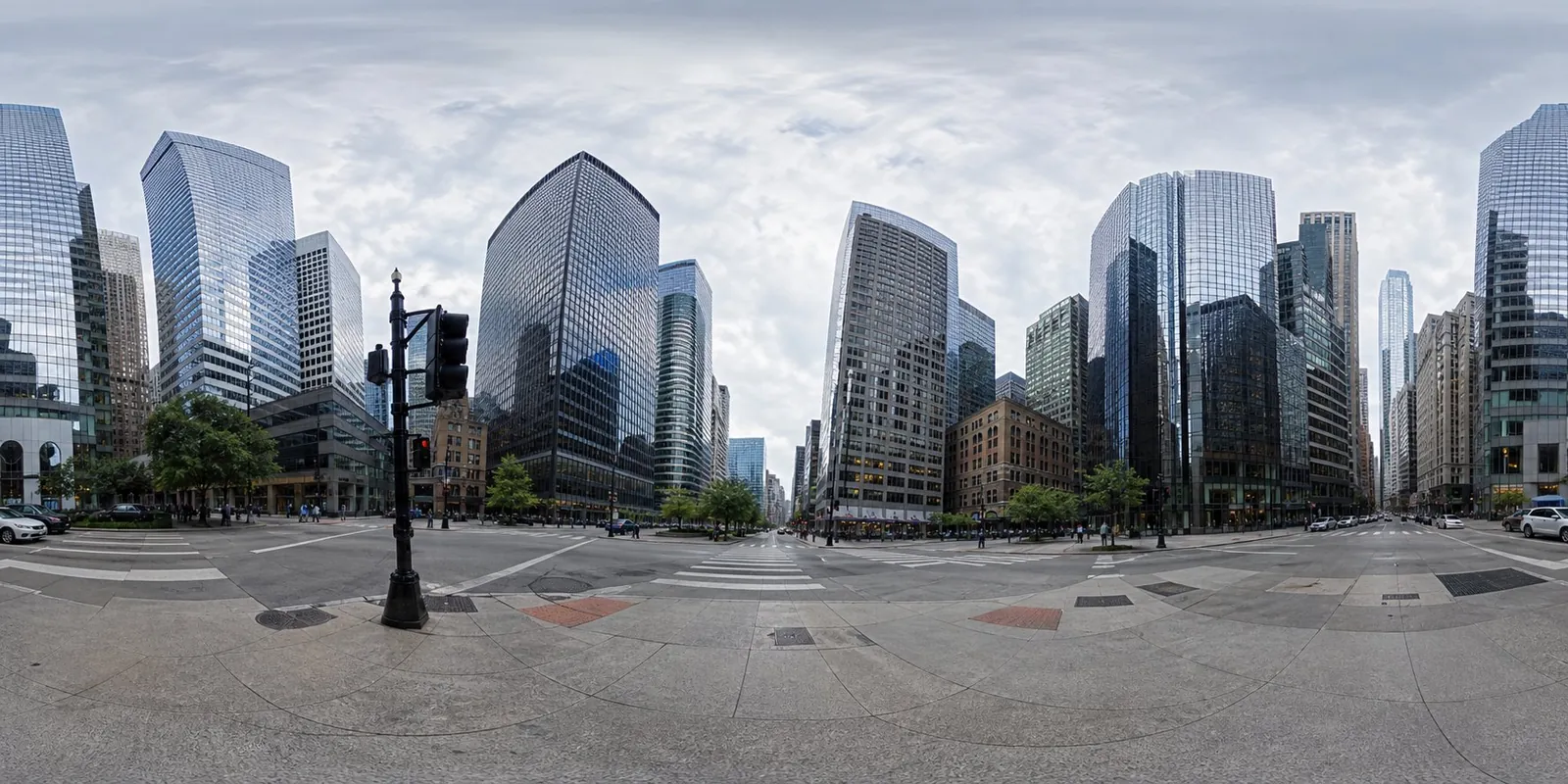
Blender MCP経由でClaude Fable 5.1が、パノラマ写真から高層ビルや道路、街路樹、車のある都心の交差点を一度で再現した。
Claude Code + Three.js(コードのみ)Wandy 2
精細な3Dモデルを作ろう
コードだけでは単純な形しか作れません。Wandy 2なら写真1枚から、同じシーンで使えるテクスチャ付き3Dモデルを作れます。
Wandy3Dによる制作ブリーフ
作者がプロンプトを公開していないため、この作品を再現する方法を私たちがまとめました。
Build a 3D city street scene in Blender, driven through a Blender MCP connection, using an equirectangular panorama photo of a downtown intersection as the reference. Study the panorama and reconstruct what it shows: glass and concrete skyscrapers of varied heights around a crossroads, asphalt roads with lane markings and crosswalks, sidewalks with brick-pattern paving, street lamps, traffic lights, benches, round-canopy trees and a few cars and a bus. Model everything with simple but information-rich geometry and basic materials, place it so that the view from the intersection matches the panorama, and group objects in tidy collections. Keep the lighting natural with a soft overcast sky. Done means the viewport shows a dense, believable city block with correct proportions, clear road layout and many small props, produced in a single run, ready for further refinement and rendering.
このプロンプトの使い方
Blender MCPをエージェントに接続し、Claude Fable 5.1を選んで、ビルドブリーフと自分のパノラマ画像を渡す。
パノラマを別の都市や街並みに替え、求めるディテールや小物を指定する。
ビューポートを確認し、比率や素材、照明の修正を頼んでからレンダリングする。
元の投稿作者の方ですか? このページの修正・削除をご依頼ください
似ているプロンプト
すべてのプロンプトを見る Claude Opus 5.5
Blenderで作る等角投影の浮遊鉱山島ループアニメ
Koldo Huici
 Claude Opus 5.5
Three.jsで描く中世の城と村を襲うドラゴン(モデル比較)
ReconScribe
 GPT-6 Astra
自ら築かれる黄金のチルトシフト風ピラミッドジオラマ(2モデル比較)
demon
 GPT-6 Astra
ロボット操作評価向け、Isaac Simの木工作業台シーン
Charles Wong
 GPT-6 Astra
朝霧のゴールデンゲートブリッジ:Blender風のローアングル描画
EvoLink.ai
 Claude Opus 5.5
ファンタジー世界のフライスルー:島の村、雪山、城
DrstaOne