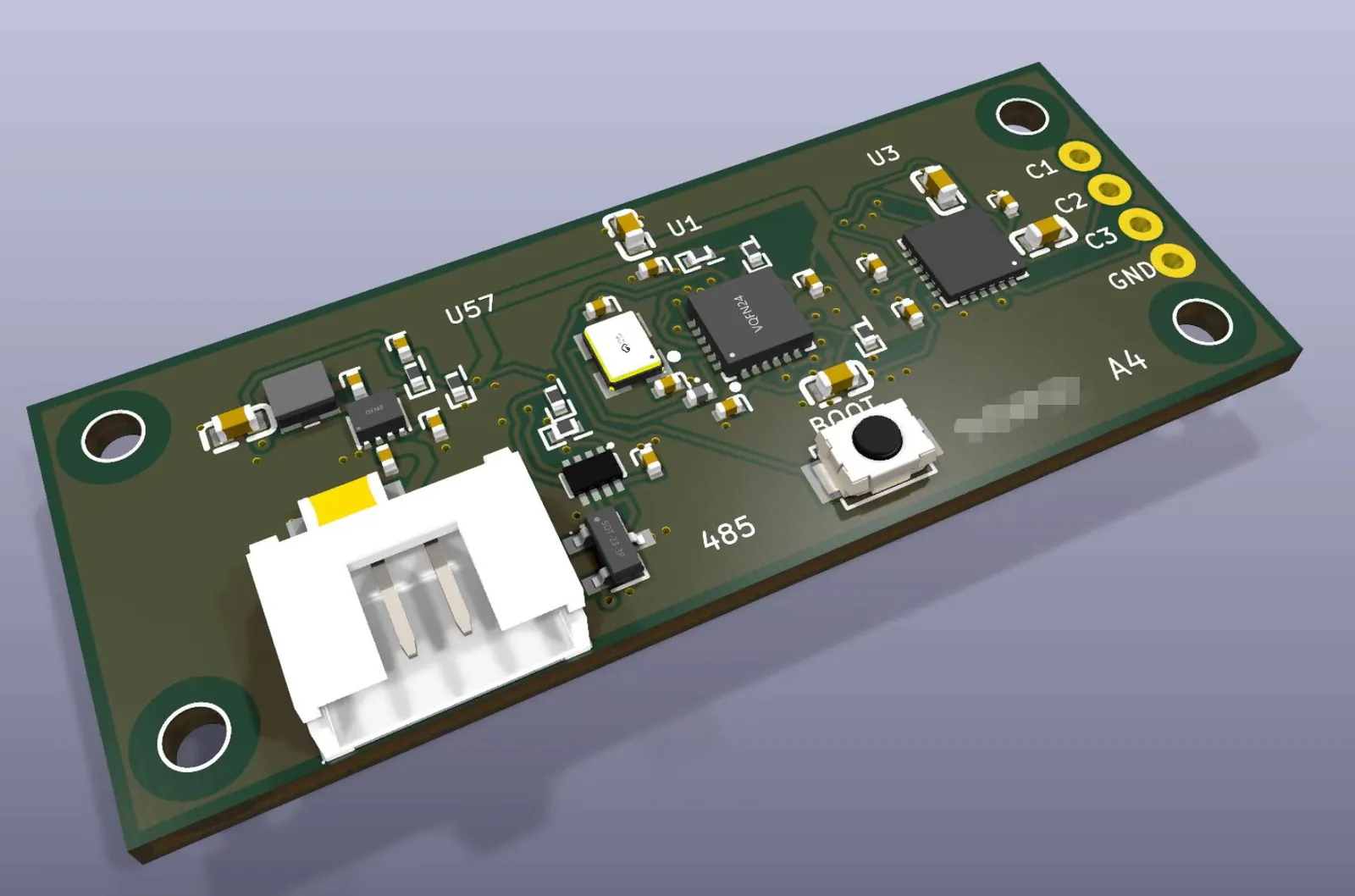
KiCadで作る50×20mm 2層基板の配線とレンダリング
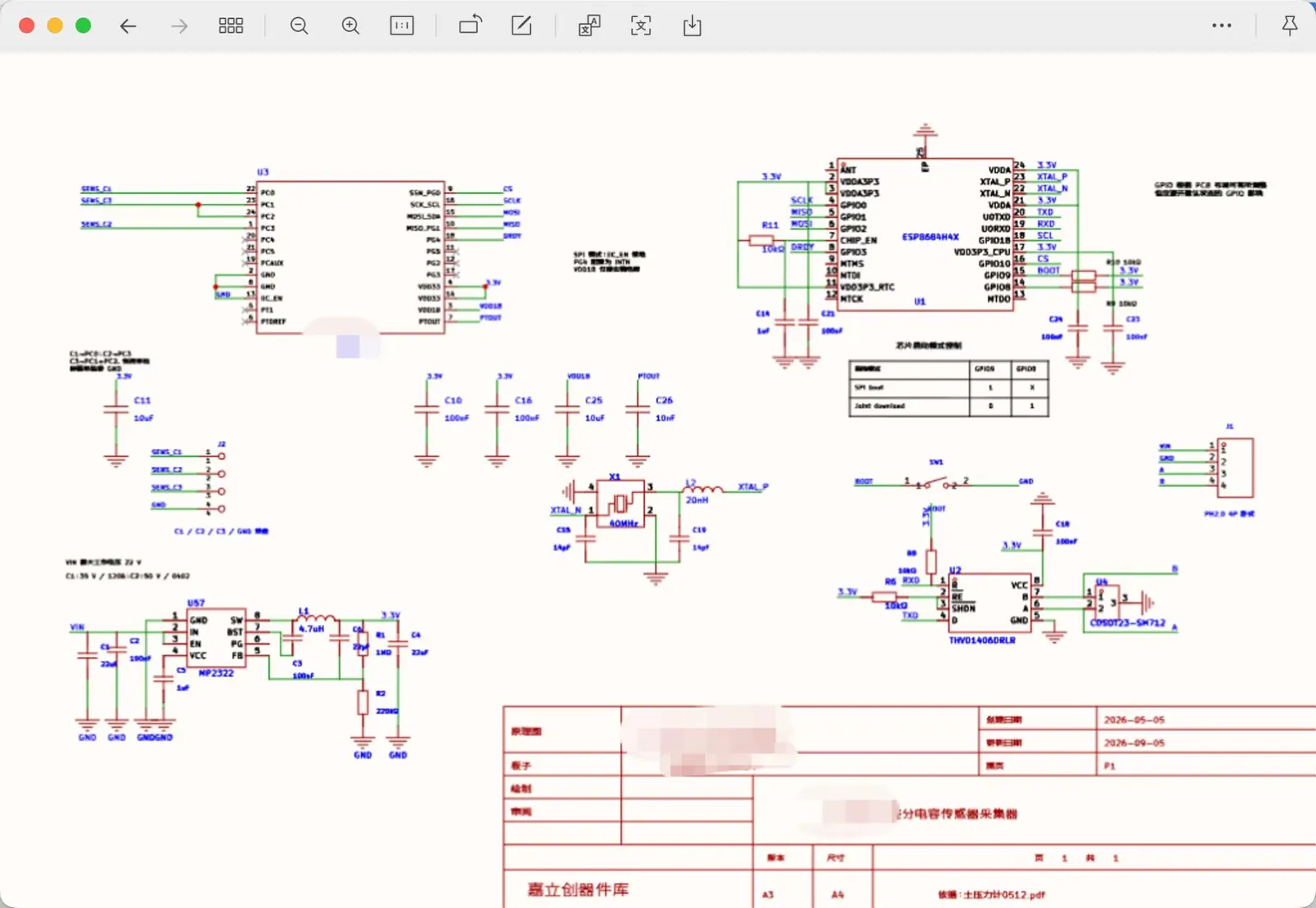
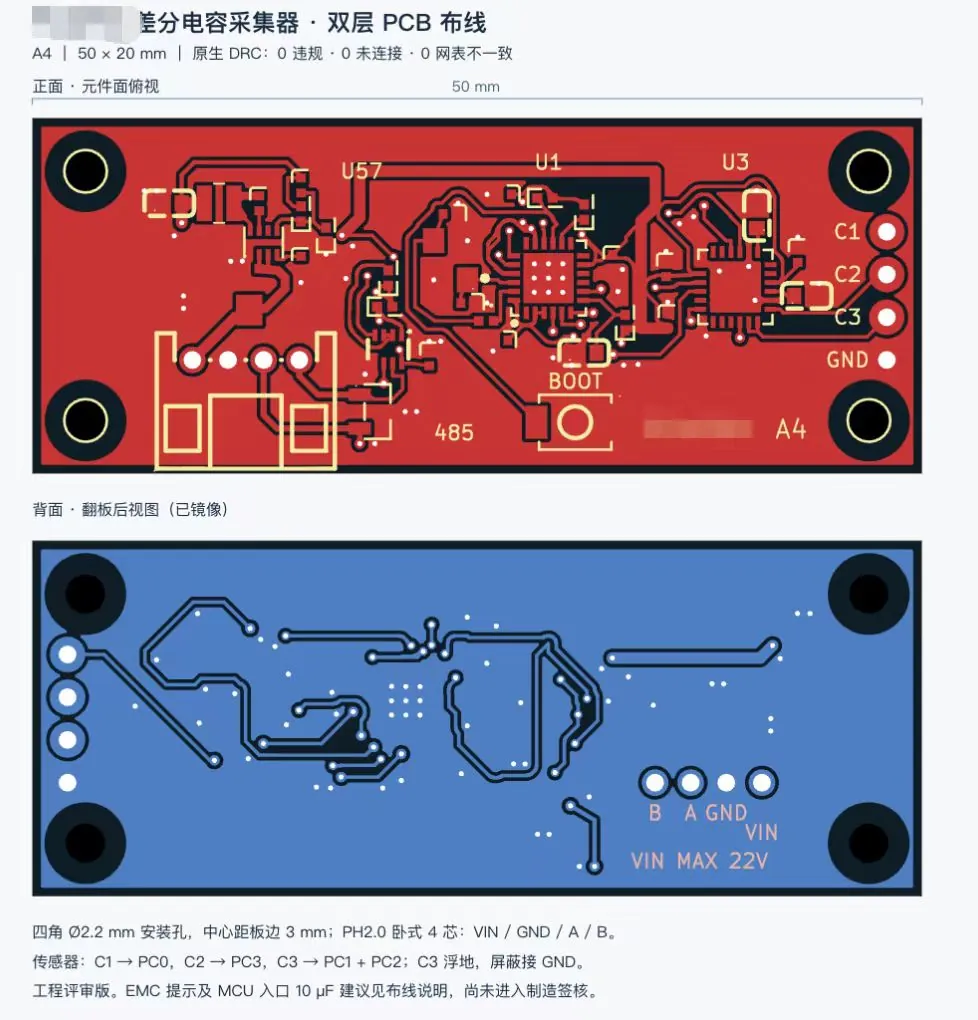
GPT-6 AstraがKiCad上で回路図PDFから回路を修正し、DRC違反ゼロの2層基板を配線して3Dレンダリングまで仕上げた例です。

Claude Code + Three.js(コードのみ)Wandy 2
精細な3Dモデルを作ろう
コードだけでは単純な形しか作れません。Wandy 2なら写真1枚から、同じシーンで使えるテクスチャ付き3Dモデルを作れます。
Wandy3Dによる制作ブリーフ
作者がプロンプトを公開していないため、この作品を再現する方法を私たちがまとめました。
Build a small sensor-board design project in KiCad starting from a supplied schematic PDF. Redraw the schematic so it follows the PDF's layout and style, change only the sensor-interface section the user specifies, and keep every other part and connection unchanged. Review component datasheets and run the electrical rules check. Then lay out and route a 50 x 20 mm two-layer PCB with four corner mounting holes, a four-pin connector on one short edge, a microcontroller, a few small ICs, a boot button and labelled test pads. Use a dark green solder mask with silk-screen labels. Finish by running the design rule check until it reports zero violations, and export a 3D board render plus front and mirrored back layout views. Deliver the KiCad project, the schematic PDF and the renders, with a short note listing unresolved checks and the fact that hardware testing has not yet been done.
このプロンプトの使い方
KiCadを操作できるエージェントで、自分の回路図PDFと一緒にビルドブリーフをGPT-6 Astraに渡します。
センサー部、基板サイズ、コネクタ、取付穴を自分のハードに合わせて変え、他の部分は固定します。
回路図・配線済み基板・3Dレンダリングが得られます。ERCとDRCを再実行し、発注前にデータシート確認を依頼します。
元の投稿作者の方ですか? このページの修正・削除をご依頼ください