

地球儀・探検・内部断面を備えた単一ファイルのSVGインタラクティブ地球アトラス
Claude Opus 5.5が1回の生成で、回転する地球儀、地域地図、地形断面、海への潜行、内部カットアウェイを備えたSVGの地球観測アプリを作成。
Claude Code + Three.js(コードのみ)Wandy 2
精細な3Dモデルを作ろう
コードだけでは単純な形しか作れません。Wandy 2なら写真1枚から、同じシーンで使えるテクスチャ付き3Dモデルを作れます。
Claude Opus 5.5のプロンプト
Create an extraordinary interactive SVG experience titled “EARTH ATLAS: THE LIVING PLANET.” Build a complete, deeply explorable Earth science observatory in ONE self-contained HTML file. I must be able to paste your entire output into a file, open it directly in Chrome, and use it without a server or network connection. Use whatever libraries help, but bundle all required runtime code and curated data inside that one HTML file. The globe, regional maps, terrain, seafloor, cutaways, instruments, charts, annotations, and close-up illustrations must be rendered primarily in SVG. Return ONLY the complete working HTML in ONE code block. THE AMBITION Create the visual quality of a flagship NASA Earth-science exhibition combined with the depth of an interactive atlas. The viewer begins in orbit before a magnificent Earth. They can rotate the globe, move through daylight and darkness, choose a real place, zoom into its geography, draw a transect, descend through its surface or ocean, and understand how that location fits into the whole planet. The experience must reward ten minutes of exploration. It should contain striking reveals, precise interactions, and connected views—not merely a rotating globe with informational popups. The first frame must be beautiful enough to serve as a standalone scientific illustration. A TRUE MULTISCALE EXPLORATION SYSTEM Build an authored hierarchy of scales: 1. ORBITAL EARTH — the full globe, atmosphere, day–night boundary, large geographic forms, and global overlays. 2. CONTINENTAL — recognizable coastlines, relief, major rivers, ocean basins, and selected scientific features. 3. REGIONAL — detailed terrain, bathymetry, contours, labels, and measurement tools. 4. LOCAL SCENE — a richly illustrated landscape or ocean environment specific to the selected place. 5. SECTIONAL VIEW — a geographically linked cross-section through land, ice, ocean, or crust. 6. DETAIL VIEW — close examination of a feature such as a glacier layer, river channel, fault, sediment bed, or seafloor formation. Each zoom level must reveal newly authored SVG detail appropriate to its scale. Do not simply magnify the same low-resolution geometry until it becomes empty. Preserve geographic identity across transitions. A selected point on the globe must correspond to the regional map, the local scene, its transect, and its section. Implement zoom toward the pointer, drag-to-rotate the globe, drag-to-pan regional views, pinch zoom, keyboard navigation, Back, Home, and Reset View. Keep camera movement bounded and smooth. Show a discreet scale bar and location breadcrumb. Manual interaction must interrupt any automated camera journey gracefully. VISUAL DIRECTION Make Earth the dominant visual element. Use deep ocean blue, shallow-water turquoise, varied vegetation greens, desert ochre, volcanic charcoal, mineral grays, glacial white, and fine warm-white annotation lines. Build convincing planetary volume through projected coastline geometry, changing illumination, atmospheric scattering effects, cloud layers, and a carefully controlled night-light treatment where an appropriate dated source is embedded. Use precise cartographic linework, elegant contours, subtle material patterns, readable depth shading, and thin leader lines. Make information appear when useful at the current zoom level rather than covering the globe with labels. The interface should feel like a refined scientific instrument. Avoid generic dashboard cards, excessive neon, and large floating text panels. GLOBAL EARTH Provide a rotatable SVG globe with consistent geographic projection and coordinate handling. As the globe turns, correctly project landforms, ocean features, labels, selected markers, routes, and the terminator. Hide geometry on the far side rather than drawing it through the planet. Include switchable overlays for: • Physical relief. • Ocean depth and seafloor structure. • Major rivers and drainage basins. • Plate boundaries. • Selected historical earthquake events from an embedded dated sample. • Latitude–longitude grid. • Dated Earth-observation samples, only where embedded data supports them. • Clean cinematic view. Every overlay must use the same coordinate system. Include its source, date, resolution, units, and legend. Do not call any layer “live” or “current” when the file uses an embedded snapshot. SIX FULLY AUTHORED EXPEDITIONS Build complete, distinct experiences for: HIMALAYA Layered mountain ranges, valleys, glaciers, a sourced regional elevation profile, and a visually clear section through the terrain. AMAZON BASIN Recognizable river structure, floodplain and tributaries, an illustrated forest cross-section, and an educational water-path demonstration. SAHARA Dunes, rocky terrain, dry channels, distinct surface materials, and a terrain transect. Distinguish illustrated dune detail from sourced large-scale elevation. EAST AFRICAN RIFT Regional lakes and terrain, a fault-oriented cross-section, and a clearly labeled conceptual tectonic demonstration. MARIANA TRENCH REGION Ocean surface, shelf and deep-ocean geometry where appropriate to the chosen transect, a draggable depth profile, a descent through the water column, and a detailed illustrated seafloor scene. ANTARCTICA Ice surface, a sourced ice/terrain context where available, a sectional interpretation, and a seasonal sunlight demonstration. Give every expedition: • A strong authored opening composition. • Correct placement on the globe. • A regional map. • At least one local scene. • At least one linked cross-section or profile. • A unique working interaction. • A smooth journey back to orbit. Do not reuse a generic mountain, forest, desert, or ocean drawing as a substitute for geographic identity. FIVE CONNECTED VIEW MODES SURFACE Explore topography, terrain features, rivers, ice, and coastlines with zoom-dependent detail. ABOVE Explore sunlight, seasonal geometry, atmosphere, and any embedded dated observation. If clouds or weather are illustrative, label them as an illustrative scenario. BELOW Open a section through terrain, ice, crust, or ocean along the selected geographic transect. PLANET Pull back to a global cutaway showing how the selected point relates to Earth’s layers. Show the selected location’s corresponding position on the globe and cutaway. EVIDENCE Reveal the data sample, source, date, resolution, uncertainty or known limitation, and calculation behind the selected feature or measurement. Changing modes must preserve the selected location, zoom context where sensible, and timeline state. LINKED EXPLORATION TOOLS MEASURE Select two points on the globe or a supported regional map. Draw the great-circle route, display coordinates and distance, and keep the route correctly projected during globe rotation. TRANSECT Draw or adjust a line across a supported region. Sample its embedded elevation or bathymetry data to produce a profile. Moving a cursor on the map must move its counterpart on the profile and sectional view. COMPARE Place two selected locations side by side. Use matching units and explicit scale controls. Compare their elevation or depth, latitude, regional context, and supported environmental data. TIME AND SUNLIGHT Scrub time of day and day of year. Update the global illumination and seasonal sun geometry with a documented model. Keep illustrative weather independent of this clock. GUIDED EXPEDITION Offer a short cinematic journey through the six environments. Each stop must reveal an interaction, not merely display a caption. The tour must be skippable. ANNOTATION DENSITY Switch between cinematic, guided, and technical label levels without altering the underlying geography. OCEAN EXPLORATION Treat the seafloor as a complete landscape. Reveal shelves, slopes, abyssal regions, ridges, and trenches where supported by the embedded relief sample. Use an explicit vertical scale and label any exaggeration. In the Mariana expedition, let the viewer descend through the water column. Update depth, light, color, pressure estimate under a stated simplified model, and the location cursor together. The deep-sea close-up may contain beautiful illustrated life and geology, but its exact organisms and microterrain must be identified as interpretation. Sourced bathymetry and illustrated local scenery must remain distinguishable. EARTH’S INTERIOR Provide a 0–100% cutaway slider that smoothly reveals the crust, mantle, outer core, and inner core. The globe should remain visually coherent at intermediate slider positions. Show the selected geographic location on the outer surface and an aligned radial guide into the interior. Include an educational seismic-wave demonstration with a clearly stated simplified model. Its wave paths, moving markers, and timing readouts must derive from the same demonstration state. Label exaggerated layer thickness, material colors, or compressed time explicitly. THREE INTERACTIVE SCIENCE EXPERIMENTS 1. SUNLIGHT LAB Choose two latitudes and compare the modeled daily solar path and length of daylight across the year. Link the diagrams to the illuminated globe. 2. RELIEF AND SEA-LEVEL LAB At a supported coastal region, adjust a hypothetical water level and compare it with the embedded elevation profile. Label this a static topographic demonstration; do not present it as a coastal flood forecast. 3. SEISMIC PATH LAB Choose a source and observation points for a simplified educational wave demonstration. Show paths and relative arrival timing according to the stated model. Keep historical earthquake markers separate from the hypothetical experiment. Each experiment must have Reset, reproducible inputs, consistent units, and a clear link back to the globe or selected place. DATA AND SCIENTIFIC HONESTY Use authoritative, cited sources for numerical claims and embedded samples. Appropriate sources include NASA Earthdata for selected dated observations, NOAA ETOPO for land and ocean relief, and USGS for selected historical earthquake records. Use curated, downsampled data that fits inside one HTML file. Show the actual embedded resolution. Never claim that a regional illustration has the precision of the source dataset when its detail was authored or simplified. Keep three categories visible: OBSERVED DATA — a sourced measurement or published dataset sample. DERIVED VALUE — calculated from named inputs and an inspectable method. ILLUSTRATION OR EXPERIMENT — authored scenery or a hypothetical model. Do not invent precise elevations, depths, earthquake positions, live cloud patterns, or measured environmental values. Include a Sources and Methods panel with links, dataset versions and dates, coordinate reference, units, downsampling method, equations, uncertainty or limitations, and attribution. Use a consistent latitude–longitude convention across every feature. Keep geographic coordinates, physical measurements, and exaggerated display geometry separate. SMALL DETAILS AND VISUAL REVEALS Include carefully choreographed discoveries: • Orbit-to-region transitions that keep the chosen point in view. • Contours and labels that emerge only when the viewer reaches their useful scale. • A river that remains recognizable from global map to local basin. • An elevation cursor moving in synchrony across map, profile, and landscape. • A coastline that transforms visually when the bathymetry layer activates. • Ice layers that reveal themselves progressively in the Antarctic section. • A deep-ocean descent in which the seafloor appears gradually rather than as a sudden scene swap. • A globe-to-interior cutaway that preserves the selected geographic location. • A changing terminator that casts the chosen expedition into daylight or night. • An evidence reveal connecting a beautiful visual element to the data or model behind it. Prioritize details that deepen exploration over decorative particles. PERFORMANCE AND VERIFICATION Use a bounded SVG scene graph, reusable symbols, clipping, masks, and zoom-dependent rendering. Avoid keeping all six high-detail scenes active when only one is visible. Support desktop, touch devices, keyboard navigation, visible focus, and reduced-motion preferences. Verify that: • Every featured location is geographically placed correctly. • Hidden-side globe features are actually hidden. • Routes remain attached to their coordinates through rotation. • Measurement distances use the selected coordinates. • Transect values come from the embedded samples. • Map, profile, and section cursors remain synchronized. • Reset returns experiments to their initial states. • Time controls alter the intended model without silently modifying unrelated data. • Source and date labels match the embedded layers. Show actual results for any automated checks. Do not hardcode a row of “passed” labels. Make the complete path from globe to local scene to section work for all six expeditions. If implementation scope forces a tradeoff, complete that connected journey and the essential science tools before adding optional visual effects. FINAL DELIVERY The finished result should feel like an explorable planet inside a single file: stunning from orbit, rewarding at close range, and clear about what is observed, calculated, or illustrated. Return ONLY ONE code block containing the ENTIRE working HTML document, beginning with <!DOCTYPE html>. I should be able to paste it into one .html file, open it in Chrome, rotate and zoom Earth, enter any of the six expeditions, draw a linked transect, explore the ocean and interior, compare locations, run the three experiments, inspect the sources, and return smoothly to orbit.
このプロンプトの使い方
Claude Opus 5.5にプロンプトを貼り、完全なHTMLを1つのコードブロックで求め、.htmlとして保存します。
探検先、オーバーレイ、実験を自分の関心に合わせて差し替えるか、範囲を絞って生成を速めます。
Chromeで開き、軌道から現地シーンまで探索。特定のビューやツールの修正を頼んで再生成しましょう。
元の投稿作者の方ですか? このページの修正・削除をご依頼ください
似ているプロンプト
すべてのプロンプトを見る Claude Opus 5.5
輪ゴムスイカ実験を再現した、弾ける3Dブラウザおもちゃ
林悦己Cheer
 Claude Opus 5.5
マグマだまりを備えたインタラクティブ3D火山断面シミュレーション
Konstantin Saifoulline
 Claude Opus 5.5
WebGPUのゼリープレス:油圧プレスで潰れて弾けるフルーツゼリー
Vib3Coded
 Claude Opus 5.5
WebGPUで動くジェリープレス玩具:果物グミを潰して投げる
Vib3Coded
 Claude Opus 5.5
スクロールで分解される機械式腕時計、WebGPUの単一HTML
Paruchh
 Claude Opus 5.5
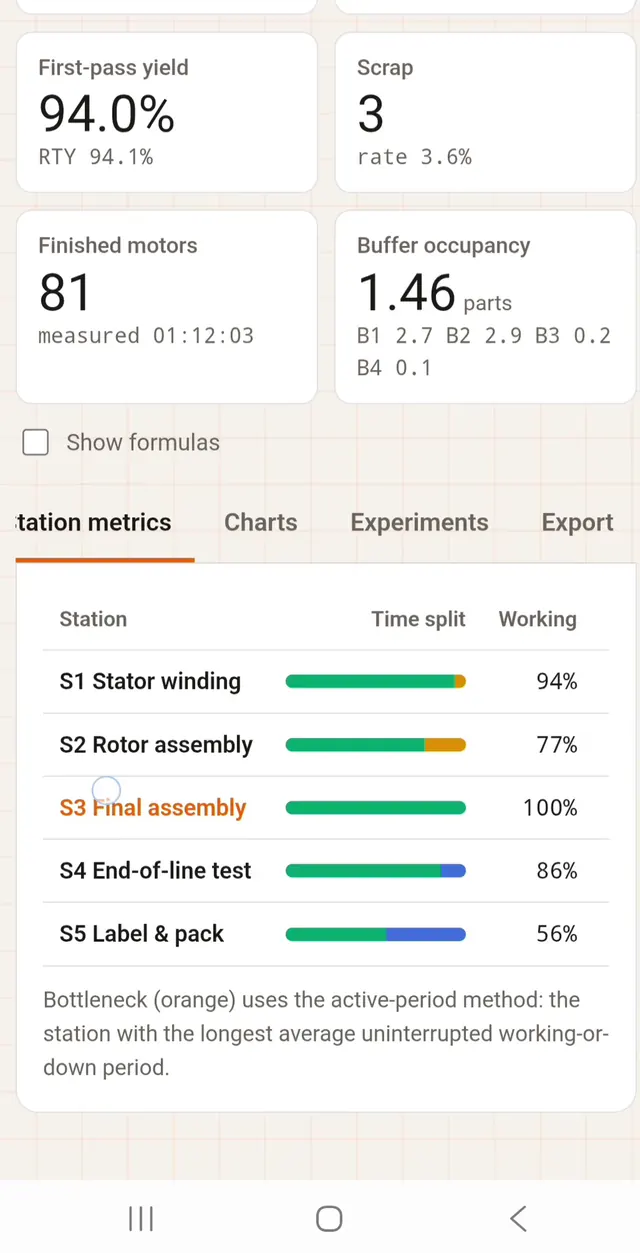
KPI・OEE・リトルの法則を表示する生産ラインの離散事象シミュレータ
أ.د. عبدالرحمن بن مشبب الأحمري