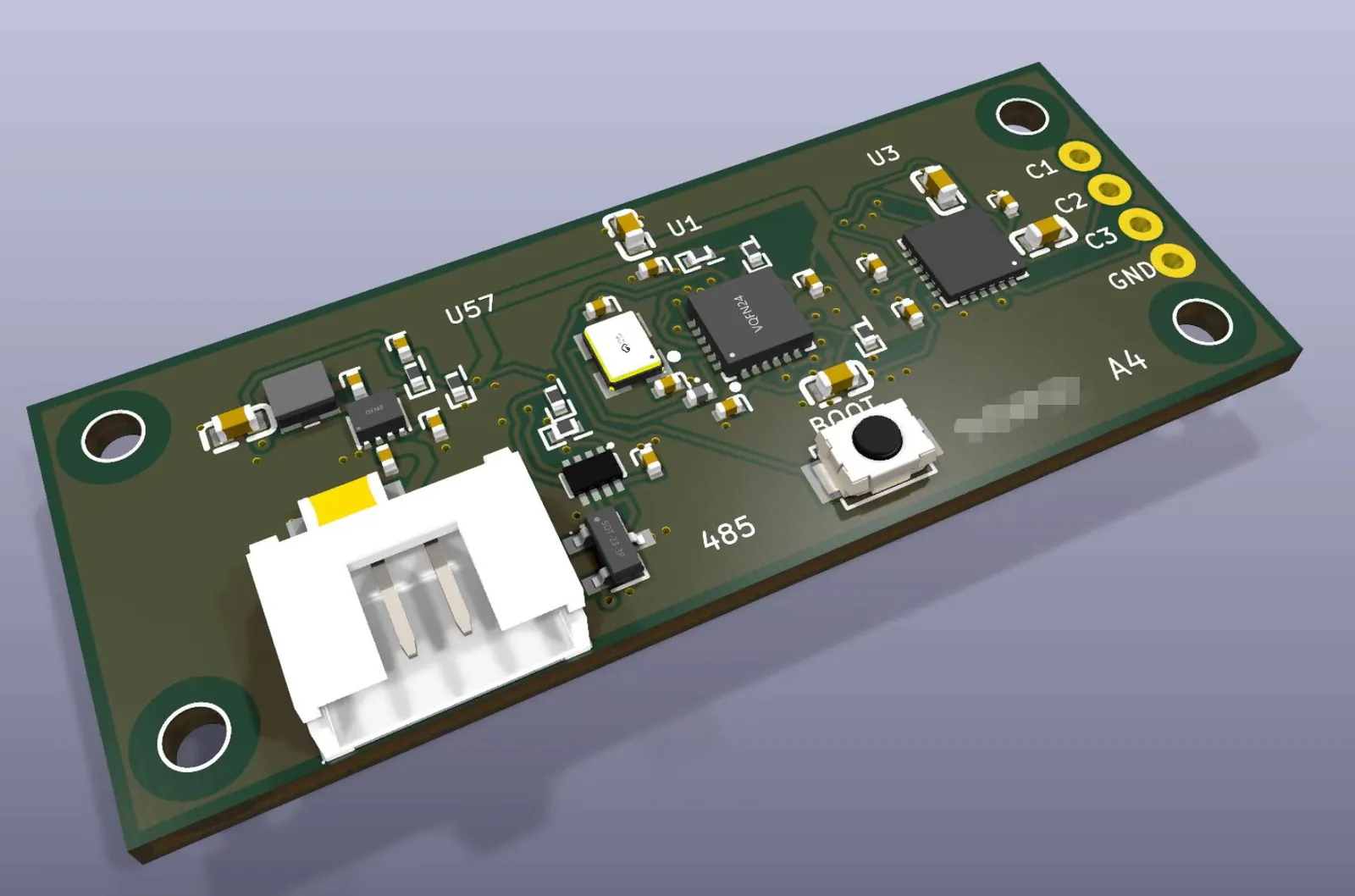
KiCad 中布线完成的 50×20 mm 双层 PCB 与 3D 渲染
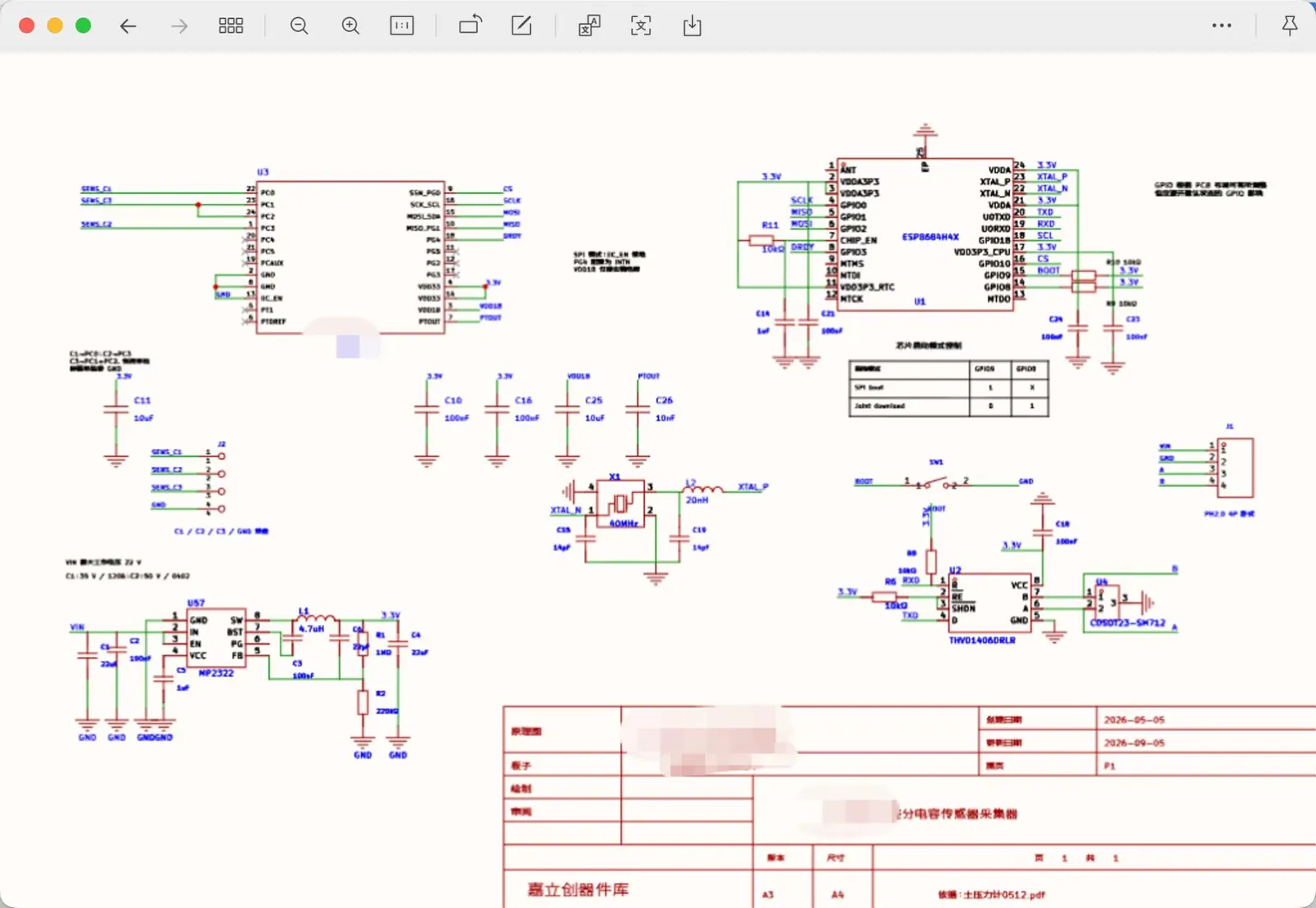
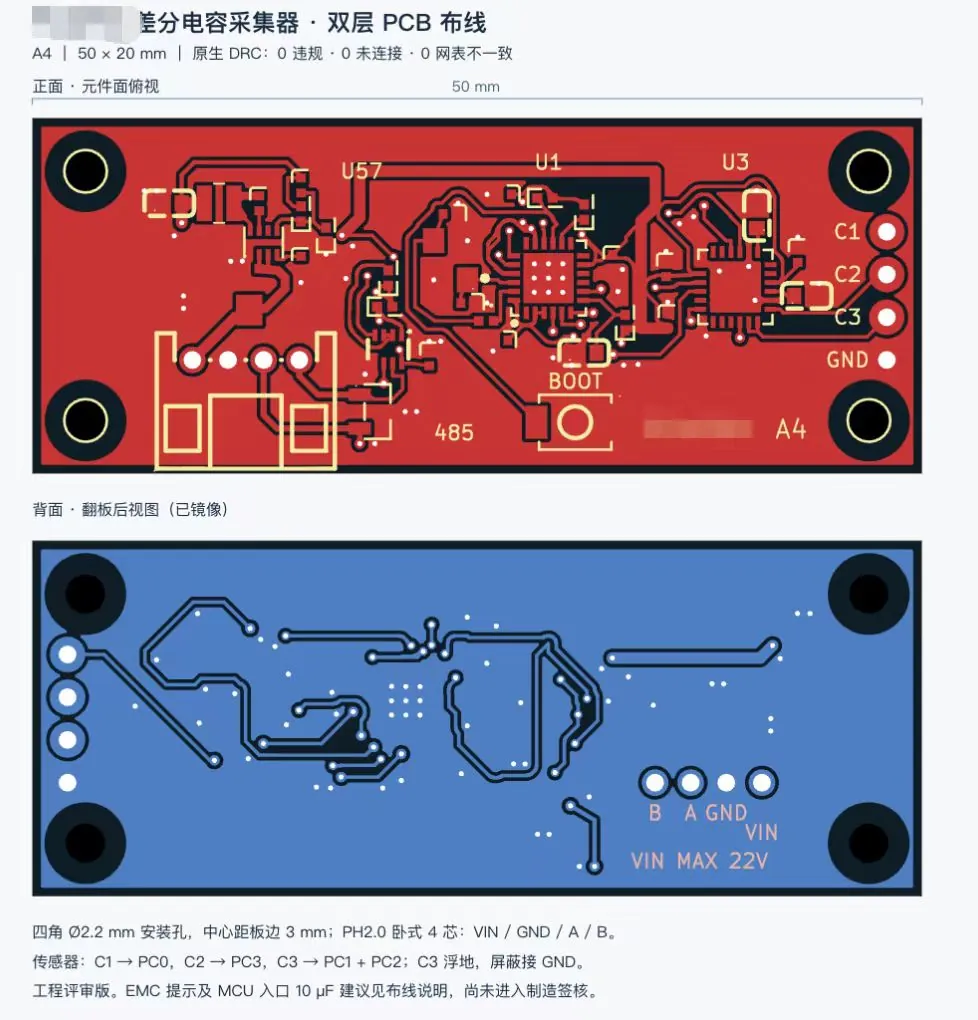
GPT-6 Astra 在 KiCad 中把原理图 PDF 改成新电路,并布出 DRC 零违规的双层板,同时生成 3D 渲染图。

Claude Code + Three.js(仅代码)Wandy 2
创建精细的 3D 模型
单靠代码只能做出简单的形状。Wandy 2 能用一张照片生成带纹理的 3D 模型,直接用在同一个场景里。
Wandy3D 制作说明
作者没有公开提示词,因此我们写下了复现这个作品的方法。
Build a small sensor-board design project in KiCad starting from a supplied schematic PDF. Redraw the schematic so it follows the PDF's layout and style, change only the sensor-interface section the user specifies, and keep every other part and connection unchanged. Review component datasheets and run the electrical rules check. Then lay out and route a 50 x 20 mm two-layer PCB with four corner mounting holes, a four-pin connector on one short edge, a microcontroller, a few small ICs, a boot button and labelled test pads. Use a dark green solder mask with silk-screen labels. Finish by running the design rule check until it reports zero violations, and export a 3D board render plus front and mirrored back layout views. Deliver the KiCad project, the schematic PDF and the renders, with a short note listing unresolved checks and the fact that hardware testing has not yet been done.
如何使用这条提示词
在能操作 KiCad 的智能体中,把构建说明和你自己的原理图 PDF 一起交给 GPT-6 Astra。
按你的硬件修改传感器部分、板子尺寸、接插件和安装孔,其余部分保持不变。
得到原理图、已布线的板子和 3D 渲染;重新运行 ERC 和 DRC,下单前再让它核对数据手册。
原帖你是作者吗? 请联系我们修改或删除此页面