

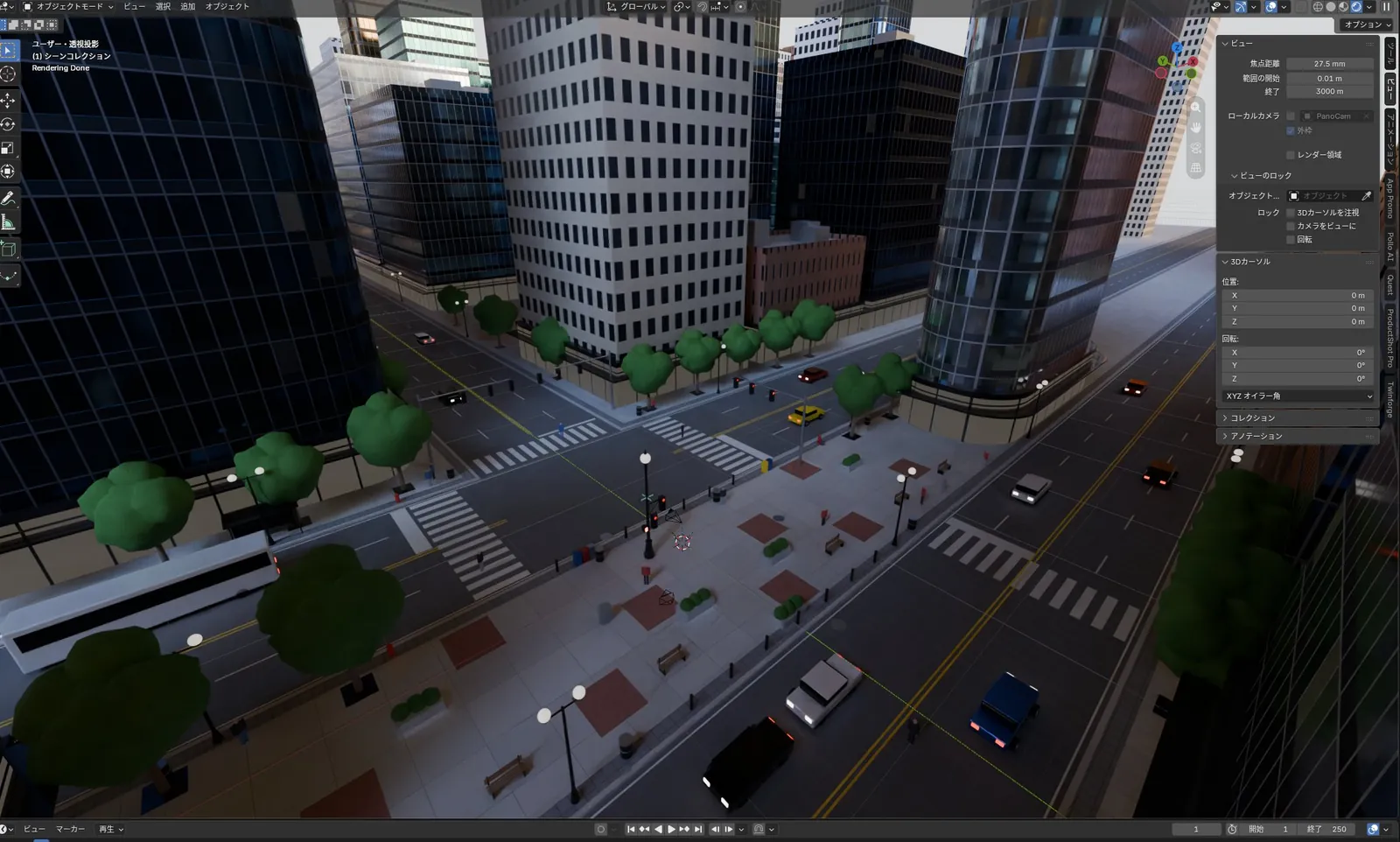
通过 MCP 在 Blender 中依据全景图搭建的城市街口
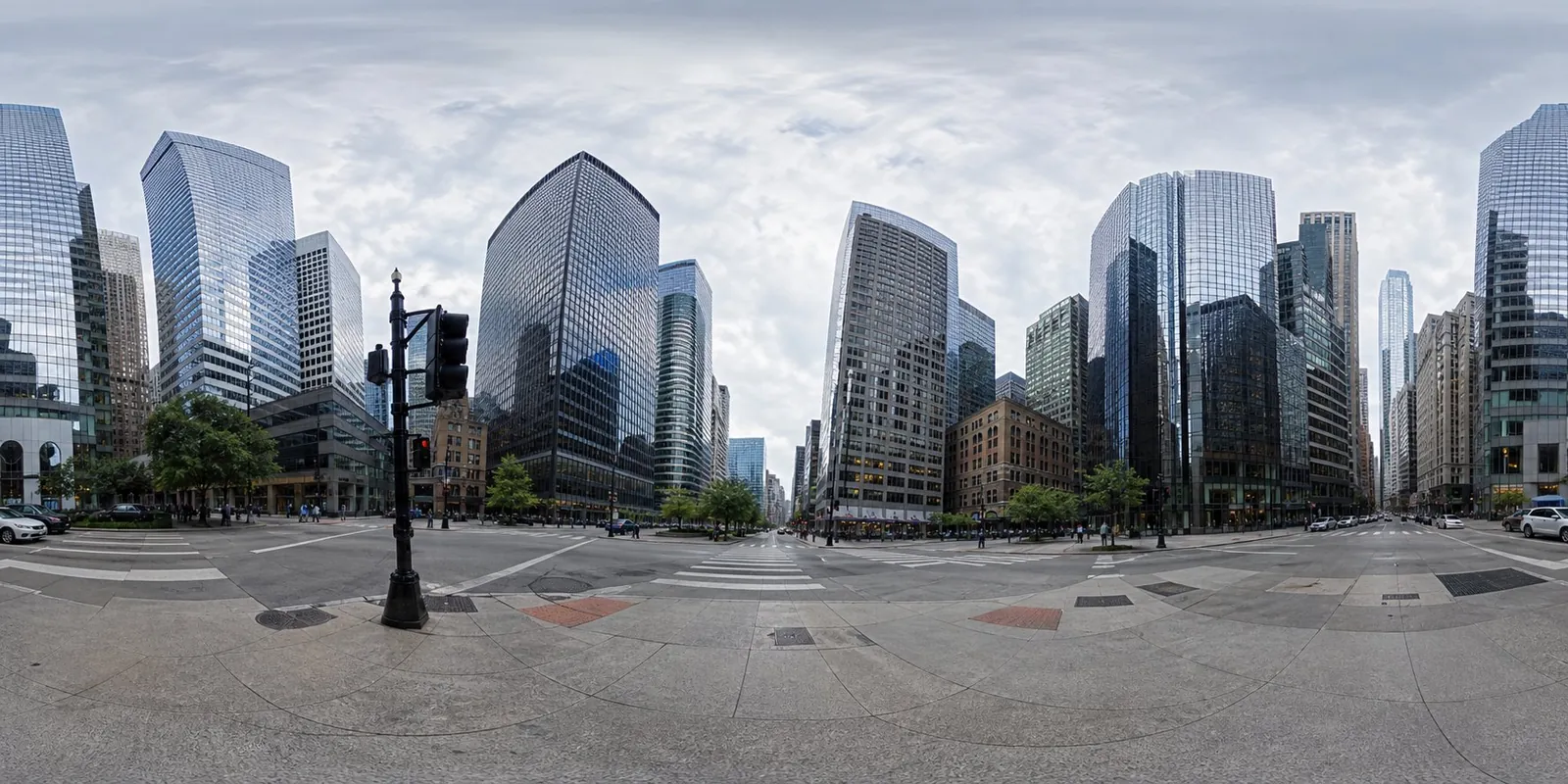
Claude Fable 5.1 通过 Blender MCP,一次性依据全景照片还原出密集的市中心路口,包含高楼、道路、树木和车辆。
Claude Code + Three.js(仅代码)Wandy 2
创建精细的 3D 模型
单靠代码只能做出简单的形状。Wandy 2 能用一张照片生成带纹理的 3D 模型,直接用在同一个场景里。
Wandy3D 制作说明
作者没有公开提示词,因此我们写下了复现这个作品的方法。
Build a 3D city street scene in Blender, driven through a Blender MCP connection, using an equirectangular panorama photo of a downtown intersection as the reference. Study the panorama and reconstruct what it shows: glass and concrete skyscrapers of varied heights around a crossroads, asphalt roads with lane markings and crosswalks, sidewalks with brick-pattern paving, street lamps, traffic lights, benches, round-canopy trees and a few cars and a bus. Model everything with simple but information-rich geometry and basic materials, place it so that the view from the intersection matches the panorama, and group objects in tidy collections. Keep the lighting natural with a soft overcast sky. Done means the viewport shows a dense, believable city block with correct proportions, clear road layout and many small props, produced in a single run, ready for further refinement and rendering.
如何使用这条提示词
让智能体连接 Blender MCP,选择 Claude Fable 5.1,并提供构建简介和你自己的等距柱状全景图。
把全景图换成其他城市或街区,并说明想要的细节程度和道具。
检查视口,渲染前再让它修正比例、材质或灯光。
原帖你是作者吗? 请联系我们修改或删除此页面





