

For game jams
Jam-ready 3D assets in minutes
Turn a photo, a sketch or a text prompt into a textured 3D model. Rig and animate characters, split props into parts and take everything into Unreal, Unity or Godot with LODs and collision ready.
Start free with 250 credits · FBX and GLB downloads with PRO ($4.99 for the first month) or $1.99 for one model

 Example made with Wandy3D
Game-ready pack
- UnrealFBX · centimetres · LOD0–3 · UCX collision
- UnityFBX · LOD Group · convex colliders
- GodotGLB · convex collision shapes
Start in 2 minutes
Three steps to your first asset
- 1Sign in with GoogleA new account starts with 250 free credits. No card needed.
- 2Drop a photo, a sketch or a promptWandy 2 is selected by default. Your model is ready in a few minutes — set up your project meanwhile.
- 3Rig it, split it, export itIt all happens in the browser. Download files with PRO, or unlock just the model you need.
From sketch to engine
Everything a jam asset needs
Make the model, bring it to life, then download files your engine understands. Prices are in credits, the same for every account.
Photo, sketch or prompt → 3D
Drop a photo, draw a sketch or describe the object in words. Wandy 2, the default version, builds a textured model in a few minutes.
Wandy 2150 creditsWandy 1.1100 creditsWandy 125 creditsAuto-rig and animate
Humanoid characters get a standard skeleton and 34 ready animations; creatures and props get a skeleton and skin weights of their own.
Describe a move — “a victory dance”, “sneak forward” — and a humanoid rig gets it as a new 2–10 second clip.
Some of the ready animations
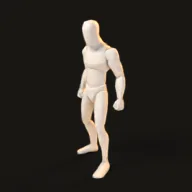 Idle
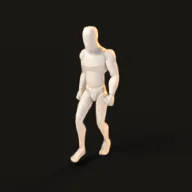 Walk
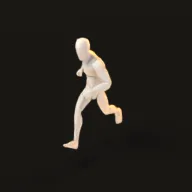 Run
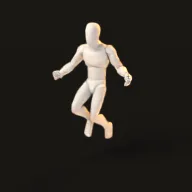 Jump
 Slash
 DanceRig 30 creditsMotion 15 credits
Split into parts
Every part becomes a separate piece — a head, arms and legs, or a lid and a handle — to move, hide or animate on its own. Nothing to split? Your credits come back.
30 creditsLow Poly and quad remesh
A clean, closed triangle mesh from 300 to 300,000 triangles with the textures baked on — or an all-quad mesh with the PBR maps baked again.
30 creditsFile with PRO or a model unlockGame-ready pack
LOD0–LOD3, convex collision (one hull or up to 24), the real-world size and the right units — packed for Unreal (FBX, centimetres), Unity (FBX with a LOD Group) or Godot (GLB).
20 creditsFile with PRO or a model unlockEvery common format
- GLB
- FBX
- OBJ
- USDZ
- STL
- GLB · Draco
Rigged models download as GLB or FBX with the skeleton, skin and animation clips.
Files with PRO or $1.99 for one model
Into Unreal Engine 5
From download to level in five steps
The game-ready pack is made for this import: no rescaling, no collision setup.
- 1
Make your model, open Download → Game-ready pack and pick Unreal: you get
SM_ModelName.fbxin centimetres with its textures. - 2
Drag the FBX into the Content Browser.
- 3
In the import dialog tick Import Mesh LODs and Combine Meshes, untick Auto Generate Collision and keep Import Uniform Scale at 1.0 — the pack brings its own UCX convex collision.
- 4
For full PBR, connect the
_ORMtexture (green → Roughness, blue → Metallic, sRGB off) and, when the model has one, the DirectX normal map_Normal_DX. - 5
A rigged character? Import its FBX as a Skeletal Mesh with Import Animations on — every clip arrives as an animation sequence.
Unity: drag the pack's folder into Assets — the FBX imports as a LOD Group, and the included editor script turns the UCX hulls into convex Mesh Colliders.
Godot 4: the GLB imports with convex collision shapes, and Godot builds the mesh LODs on import.
Try an example
See real results before you sign up.
Models made with Wandy3D. Open one in the studio — no account, no credits.
From Wandy3D
 From Wandy3D
Let your agent make the assets
Building with coding agents? They can call the Wandy3D API: a photo or a prompt in, a textured GLB out — paid from a prepaid balance, no subscription.
- Wandy 2$0.45 per model
- Wandy 1$0.075 per model
The balance never expires · failed jobs are refunded · models made through the API are yours to download in every format.
curl -s -X POST https://api.wandy3d.com/generate/cloud/ultra \ -H "Authorization: Bearer $WANDY3D_API_KEY" -F "file=@photo.jpg"# → {"task_id": "…"} — poll until "status" is "done":curl -s https://api.wandy3d.com/task/$TASK_ID/status \ -H "Authorization: Bearer $WANDY3D_API_KEY"# → {"model_id": "…"} — then GET /model/$MODEL_ID/export?format=glbYour jam starts with one model
Make a prop or a character now — it's ready in a few minutes.
Make your first asset